

Artificial Intelligence is reshaping the world, and creative fields are no exception. Now, you can generate images just with a single prompt. Not only do these tools automate tasks, but you can also take inspiration for entirely new concepts.
For designers, AI is an opportunity to get rid of mundane tasks and work on higher-value jobs. Whether you are a graphic designer, a UX designer, or a social media designer, AI is your trusted ally in meeting your deadlines and providing high-quality work, without the pressure of monotonous tasks.
But with a sea of AI tools, which is the right one for you? In this guide, we will cover the best AI tools for designers and how you can use them to your advantage.
30-Second Summary
Right now, there are numerous AI tools for designers. Choosing one of them can be confusing. In this blog, we will compile the best AI design tools for different categories. Read on to find suitable tools for graphic designers, UX/UI designers, branding designers, product designers, and social media designers.
The Role of AI in Modern Design
While many AI tools are just hype, some AI design tools are actually delivering what they promised. Have a look at the role of AI in the world of designing.
Efficiency and Speed
Designers can automate time-consuming tasks using AI, such as generating layouts, image resizing, and creating color variations. In this way, they can spend their energy on refining the final product and completing the projects faster.
Creativity and Inspiration
AI can help designers in a lot of ways, such as creating design briefs and choosing color palettes, etc. It is also helpful when you are going through creative fatigue.
Tools like Midjourney and Adobe Firefly generate moodboards and unique concepts, inspiring humans to build upon those ideas.
Personalization and User Insights
AI can predict how the target audience will interact with your design by analyzing data. This is particularly ideal for UX/UI designers who want to optimize layouts and enhance user experience.
Accessibility for Non-designers
AI is assisting people with no previous design experience. Students, entrepreneurs, and small business owners can do branding without needing years of experience in design.
AI Tools for Graphic Designers
Graphic designers were the early adopters of AI. They have to deal with visual storytelling, and AI makes it easy for them.
It automates tedious tasks and provides fresh ideas to designers to keep them out of a creative block.
Applications of AI in Graphic Design
Image Enhancement: Instead of manually removing the background or an object, AI tools for designers quickly isolate them.
Typography Pairing: You can get recommendations from AI for font style and size for a balanced look.
Color Palette Generation: AI suggests suitable color palettes according to the mood and theme of the image.
Quick Concept Generation: Graphic designers can explore multiple versions of a single poster, flyer, or social media post in a few minutes.
Best AI Tools for Graphic Designers
Let’s see what AI tools are ideal for graphic design.
Canva AI
Canva is a user-friendly platform. You can access numerous ready-made templates, smart suggestions, and automated image resizing.
The extensive library of templates is accessible for both beginners and professionals. However, some features need a premium subscription.
Adobe Firefly
It is designed for content creation, such as images, illustrations, and text effects. It is Adobe’s generative AI and can create realistic and abstract visuals.
You can create 3D graphics and recolor vectors just by a single prompt. Moreover, it integrates with other Adobe apps, like Photoshop, Illustrator, and Express, making image creation and editing easy.
Khroma
Khroma is an AI-powered tool that generates color palettes based on your preferences. It is perfect for graphic designers who are looking for color inspiration.
The tailored color suggestions and sleek interface make it ideal for use. However, it is limited to color-related features and does not integrate directly with other design tools.
Case Example
A freelancer working with multiple e-commerce clients can use these tools to create product images in bulk. This time-consuming task will be done in a few minutes, leaving time and energy for creating promotional banners.
AI Tools for UX/UI Design
UX and UI design need a perfect balance of creativity and research. AI tools can help analyze user behavior, prototyping, and ensure accessibility.
Applications of AI in UX/UI Design
Wireframing and Prototyping: AI transforms text prompts into ready-made wireframes.
Design Accessibility: AI ensures that color contrasts, navigation, and readability of the design are perfect.
Automated usability testing: These tools analyze what stands out to users and predict design effectiveness accordingly.
Best AI Tools for UX/UI Designers
Let’s take a look at the top tools for UX and UI design.
Uizard
This tool transforms sketches into digital wireframes and mockups and makes the design process easy. It allows designers to create interactive prototypes instantly.
It has collaborative features, and people do not need prior design experience to use it. Design teams can use it, as it allows non-designers to contribute to app or website mockups.
Figma
Figma is a famous UX/UI design tool. It is useful to improve collaborative design efforts and has an extensive plug-in ecosystem.
It has multiple intuitive prototype tools. However, it offers limited offline usability, and sometimes the performance can lag, particularly with complex designs.
Galileo AI
This tool turns text and image prompts into editable UI designs. It offers AI-generated illustrations, style transfer, and quick prototyping.
It speeds up the wireframing and prototyping process and generates high-fidelity images in seconds, reducing the need to create multiple design variations from scratch.
Case Example
A company can create screen interfaces within minutes using Galileo AI, speeding up the process of user testing.
AI Tools for Product Designers
Product design often involves 3D modeling, physical objects, and prototyping. You can use AI for product design and reduce cost and overall time for product development.
Applications of AI in Product Design
Generative Design: You can get multiple design variations that are optimized for weight, cost, and strength.
Simulation and Testing: AI tools for product development predict how different designs will perform under different situations.
3D Modeling: You can add realistic textures and speed up model creation using AI.
Best AI Tools for Product Designers
Below are ideal AI tools for product design.
Autodesk Generative Design
It is an automated and AI-powered tool that helps engineers and designers explore multiple designs based on set parameters.
It automates the design exploration process and delivers designs that are more efficient in material use. The wide applicability of this tool makes it ideal for different industries.
Gravity Sketch
This tool allows intuitive 3D design with VR integration. Product designers can walk around with their designs, evaluate them from every angle, and resize them in real-time.
The collaborative feature is another highlight of this tool. Team members can easily work on the same model at the same time, no matter where they are located.
Vizcom
Vizcom is an innovative platform that turns 2D sketches into highly realistic visuals. Traditionally, product designers had to draw concepts multiple times to get a polished version. But Vizcom enhances the design with professional-level shading and textures.
This results in enhanced communication between designers, clients, and stakeholders. Instead of showing a rough sketch during discussions, you can show the design that looks close to the final product.
Case Example
An industrial designer who wants to design a lightweight chair can use Autodesk Generative Design to create multiple variations. This will help in checking which one is the most durable, completing a task that takes weeks, within a few days.
AI Tools for Branding Designers
Branding is not limited to a logo. It is the entire identity of your business. AI tools for branding/identity design assist in creating consistent, data-backed images for effective branding.
Applications of AI in Branding Design
Logo Creation: You can create multiple versions of logos and evaluate which one is suitable using AI for logo design.
Audience Testing: AI tools can predict how the audience will perceive a branding element.
Brand Kits: These tools have fonts, color palettes, and templates for businesses to create a consistent identity.
Best AI Tools for Branding Designers
The following are some of the trusted tools for branding design.
Looka
Looka is an AI-driven platform that produces a wide range of customized logos for users. This tool is helpful in creating a consistent identity across all platforms as it offers color palettes, font pairings, and mockups.
The brand kit feature in Looka has ready-to-use business cards, social media posts, letterheads, and more. It is particularly beneficial for startups or small businesses that do not have a budget to hire professionals but want to maintain consistent branding.
Tailor Brands
Tailor Brands provides automated logo and branding solutions. It focuses on speed and simplicity and ensures that users get a high-quality design within a few minutes.
It serves as a one-stop solution for all businesses, as it offers access to branded business cards, social media post templates, and even website builders.
Brandmark
This platform uses AI to generate modern logos. It analyzes keywords, aesthetic preferences, and industries to create visually appealing images.
The feature that makes Brandmark useful is its complete branding package. Apart from logos, you can find letterheads, business cards, and social media post templates. This all-in-one package allows businesses to stick with a consistent identity from the start.
Case Example
A small business launches a bakery and uses Tailor Brands for its visual branding with specific fonts, color palettes, and other elements. Without hiring a designer, this bakery can create a cohesive brand identity across all platforms.
AI Tools for Social Media Designers
AI tools for social media graphics have become important as the popularity of social media apps increases.
A designer can easily create a prominent identity on all social media platforms using AI-powered tools.
Applications of AI in Social Media Design
Content Repurposing: AI can resize all designs to make them suitable for different social media platforms.
Text Generation: These tools also suggest engaging text to pair with visuals.
Video Content Automation: You can turn scripts and blogs into short videos using AI.
Best AI Tools for Social Media Designers
If you are a social media designer, the following tools are worth looking into.
Lumen5
Lumen5 uses AI to transform written content (blogs, scripts, articles) into engaging videos. You can match text with music, visuals, and animation, cutting down the effort of video production.
It is particularly helpful for marketers who want to repurpose existing content into interesting videos. The result of this tool is professional, making it superb for people with no video-editing background.
Predis.ai
It creates social media content with both visuals and captions. You only need to put a topic, service, or product, and you will receive ready-to-publish content, making Predis.ai ideal for small teams and solo marketers.
This platform also supports content calendars and analytics to help businesses run successful social media campaigns. Its AI-driven suggestions help businesses maintain a professional identity online.
Adobe Express
Adobe Express streamlines the content creation process by providing ready-to-use templates and AI support. Unlike traditional Adobe software, which can be a little complex, Adobe Express is designed for quick work, like flyers, posters, and social media posts.
With background removal and automatic layout suggestions, you can create refined designs in a matter of minutes. The beginner-friendly tools of this platform provide professional results.
Case Example
A social media manager generates a month’s worth of Instagram posts in a single afternoon. AI creates both visuals and captions, reducing workload while ensuring quality.
AI for Non-designers: How can They Use it?
Traditionally, the field of design was limited to individuals with years of design experience. The most significant change AI has brought to design is that now people with no experience can also leverage these tools.
Teachers, small business owners, students, and entrepreneurs can create professional visuals without the need to hire someone.
DIY Branding
AI platforms like Looka and Canva AI have made designing more accessible than ever. Looka provides a complete branding kit, while Canva offers custom templates for different visuals. Using them together can create a professional-looking identity without hiring somebody.
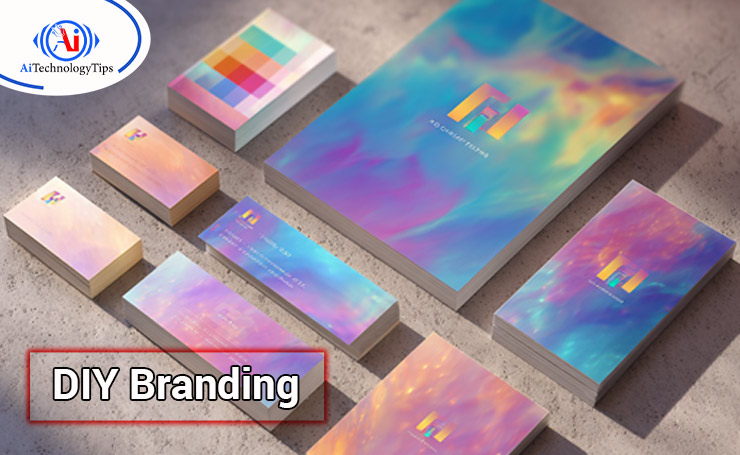
It also shows that freelancers, entrepreneurs, and small businesses can build a credible reputation quickly. Even without technical design skills, they can present themselves in a professional and polished manner.
Presentations and Marketing
AI is also super helpful in creating presentations, pitch decks, and marketing material. Platforms like Canva AI and Designs.ai quickly create slides and ads from the prompts you give them. This ensures reduced time and perfect consistency across all campaigns.
These tools are particularly important for businesses and students. Instead of spending hours on refining the slides, they can focus on the message they want to deliver and leave visuals to AI. It results in high-quality marketing in less time.
Social Media Graphics
AI-powered tools make maintaining a good social media presence easy. Even if you have no Photoshop experience, you can try Canva AI, Predis.ai, and Adobe Express to get customizable templates. These templates are adaptable to any brand style.
This accessibility allows everyone, from a student to a content creator, to keep a consistent and appealing presence on all social platforms. These tools streamline design so that users can focus more on engagement and growth.
Limitations of AI in Design
- AI generates designs based on patterns. It cannot truly invent something or think “outside the box” as a human would.
- There are ethical concerns around copyright and ownership of AI-generated designs.
- Designers need to ensure that empathy, storytelling, and creativity remain central in every design.
The Future of AI in Design
AI is still in its early stages, but it has become clear that it will be deeply integrated into every step of the design process in the future. Let’s see what is ahead regarding AI in design.
Personalized AI Assistants: The tools will be able to learn a designer’s personal style to make tailored suggestions.
Smarter User Testing: These tools will provide real-time suggestions on how users will interact with your design.
Ethical Design Framework: AI tools will need clearer rules for originality and copyright.
Stronger AI-Human Collaboration: Designers will act more as “creative directors” and guide these tools to provide desired outcomes.
The Bottom Line
AI is revolutionizing the design industry. Graphic designers get efficiency, UX and UI designers improve user experience, product designers gain rapid prototyping, brand designers create quick identities, and social media designers generate content at scale.
AI tools for designers are also ideal for people with no design background. The ready-made templates, easy-to-navigate interface, and beginner-friendly features let everyone build visuals according to their needs.
You need to learn all AI designer tools to gain an edge in a competitive and extremely technology-driven world. If you want to learn more about AI and technology, explore AI Technology Tips.
FAQs
What are the Best AI Tools for Graphic Designers?
The best AI tools for designers are Canva AI, Khroma, Runway ML, and Adobe Firefly. These tools assist graphic designers with background removal, color palette selection, and quick design mockups.
How do AI Tools help UX/UI Designers in Improving User Experience?
For UX/UI design, you can try Uizard, Figma AI, and Attention Insight. These tools improve user experience by creating wireframes, running usability tests, and generating responsive layouts. Additionally, they provide quick prototyping and data-driven insights for enhanced user experience.
Can AI create a Complete Brand Identity for Businesses?
Yes, AI branding tools, such as Looka, Brandmark, Designs.ai, and Tailor Brands, create logos, color palettes, and brand kits. Small businesses and freelancers can create a consistent brand image with these tools.
How can Non-designers Benefit from AI Design Tools?
AI tools have made it really easy for non-designers to create visuals. These tools provide ready-made templates, AI-driven suggestions, and branding kits. The result is professional and high-quality designs.
Are AI-generated Designs Original and Copyright Safe?
The designs generated by AI tools use algorithms trained on large volumes of data, raising concerns around copyright. To stay safe, customize AI outputs. Also, always check the licensing terms of the platforms you are using. For originality, human input remains necessary.
Which AI Tool is Best for Beginners in Design?
For a beginner, Canva AI is ideal. It offers ready-to-use templates and has a simple drag-and-drop feature. It is perfect if you are starting your design journey, whether you are a student, entrepreneur, or freelancer.

