

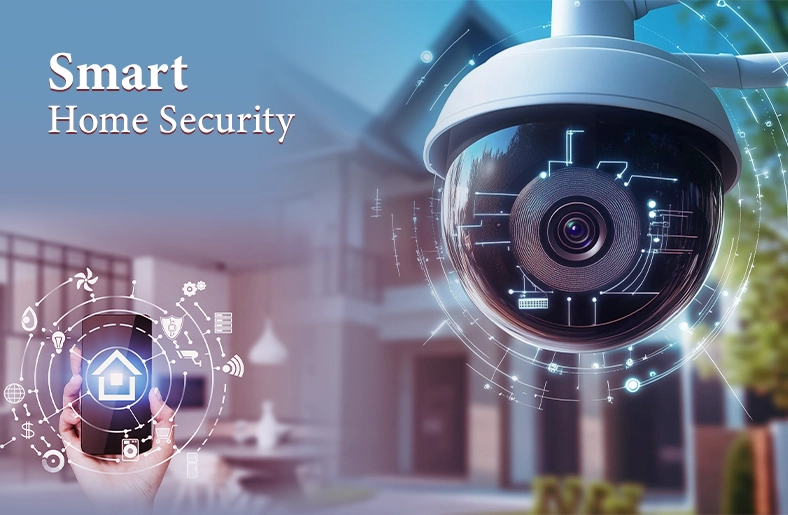
Did you know that every 51 seconds, a burglary happens in the US? This shocking statistic shows that every homeowner needs to tighten their house security. The solution is smart home security systems.
Whether it is a smart camera, lock, or motion sensor, this innovative technology ensures peace of mind and the safety of you and your family.
In this guide, let’s dive deep into smart security that protects your house from break-ins.
30-Second Summary
- Smart home security combines cameras, sensors, and automation to provide real-time protection and remote control.
- DIY systems offer flexibility and lower costs, while professional monitoring provides stronger emergency response.
- You do not need an expensive system. Start with installing basic devices and scale as you need.
What Is a Smart Home Security System?
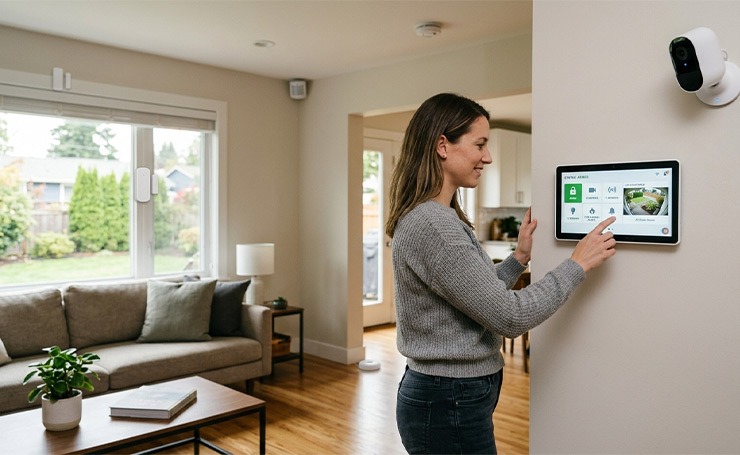
A home security network connects various devices that work together to protect your property. These devices usually include monitors, cameras, and sensors. These devices not only alert you when someone tries to break in but also when there is a threat of fire or flood.
Now, let’s see the important components of this security system in detail.
Core Components of a Smart Security System
Security Cameras
Cameras are often described as the “eyes” of the system. These cameras provide 24/7 visual surveillance for both indoor and outdoor.
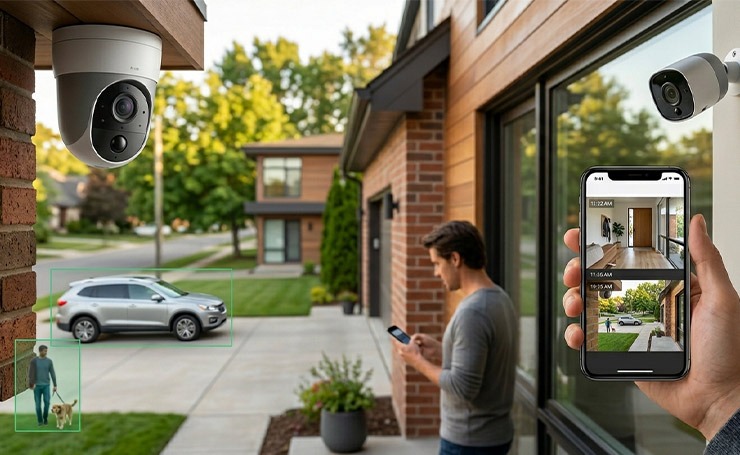
Visible cameras discourage potential intruders, and studies have shown that they can reduce crime rates by upto 50%. Modern smart cameras use AI to distinguish between animals, people, and vehicles, reducing false alarms.
These cameras are high-definition and provide clear footage for law enforcement and insurance claims. Moreover, homeowners can view live feeds and recorded clips from anywhere through a smartphone app.
Video Doorbells
Video doorbells combine a doorbell, a camera, a speaker, and a microphone to help you monitor your home’s entry point. It allows you to speak with visitors and delivery staff without opening the door. Moreover, it sends real-time delivery notifications and alerts you in case of any theft attempts.
There are also some advanced models that feature touchless technology. It allows you to open, close, and lock the front door using sensors without requiring handles or levers.
Smart Locks
Unlike traditional doors that require a key, smart locks come with PIN codes, fingerprints, or mobile apps for safe access. Homeowners do not have to worry about losing their keys or having lockouts.
You can also grant temporary access to quests, cleaners, or dogwalkers. Moreover, you can engage the deadbolt from anywhere. Smart locks also keep a record of who entered your house and at what time.
Sensors and Detectors
Sensors act as triggers, alerting the central hub when they detect a breach or hazard. The different types of sensors include
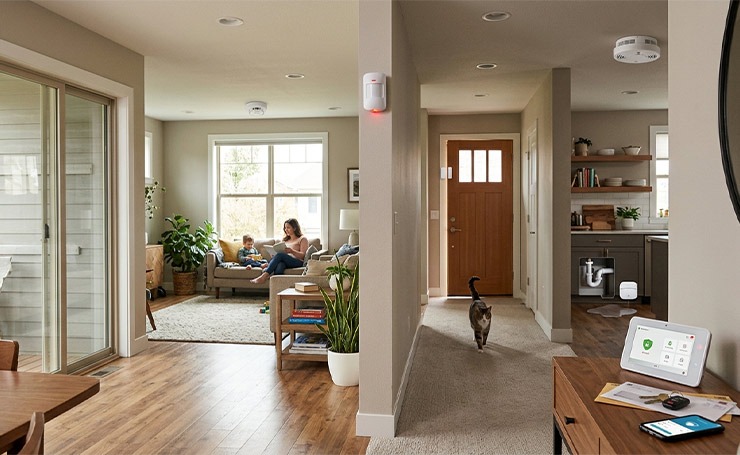
- Window/Door Sensors: These alert you immediately when any entry point is opened unexpectedly.
- Motion Sensors: These can detect movement in high-traffic areas, such as hallways, when the system is armed.
- Glass Break Sensors: These listen to the specific frequency of breaking glass to identify break-ins.
- Environmental Sensors: These include carbon monoxide, smoke, and water leak detectors to protect against flooding and fire.
Smart Features That Make Systems “Smart”
There are different technologies that make a home security system truly smart.
AI-Powered Security
AI-powered security cameras, door locks, and alarm systems use machine learning to enhance protection. For instance, Ring’s video doorbells and cameras can easily recognize faces and detect motion. Google’s Nest Cam can identify people, animals, and objects, reducing false alarms and sending precise alerts to homeowners.
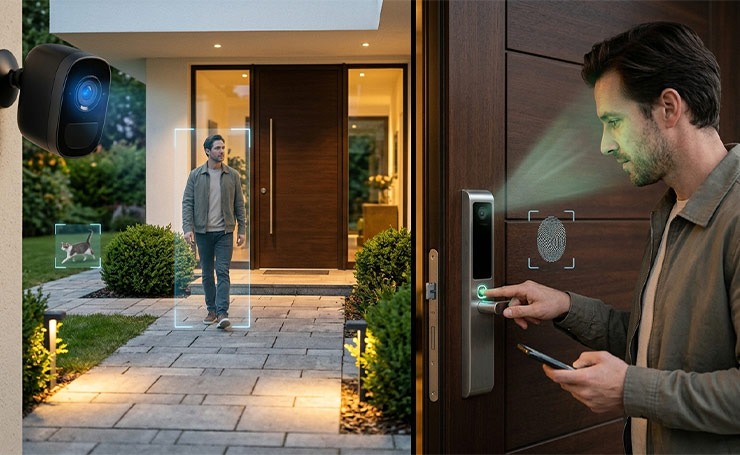
AI-powered biometric security is also improving home protection. Smart locks use AI-driven fingerprint scanning and facial recognition for secure house access. It adds extra protection over traditional keypads.
Automation and Integration
Home security automation and integration combine locks, lighting, sensors, and cameras into a single central system controlled by voice assistants or smartphones.
You do not have to check each individual device; instead, you get real-time alerts, automated scenes, and remote monitoring through the central hub. This central hub also enables devices from different brands to collaborate, enhancing convenience and efficiency.
Remote Monitoring
Remote monitoring is an excellent feature of smart house security. No matter where you are, you can check your camera feeds (both live and pre-recorded), lock doors, and set security schedules easily using the smartphone app.
Storage Options: Cloud vs Local
The two primary options to store camera and video doorbell footage and data are cloud storage and local storage.
Local Storage
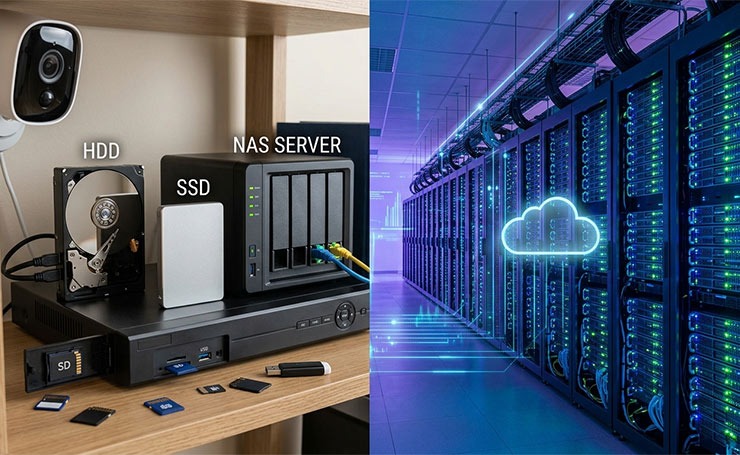
Local storage means saving data on physical devices located on your property where security cameras are installed. The media for storage include
- Hard disk drives are traditional magnetic disk drives capable of storing large amounts of data.
- Solid-state drives are faster and better than hard disk drives, but they are more expensive.
- Network-attached storage connects to a network and allows multiple devices to access the stored data.
- Digital video recorders record videos in a digital format to a disk drive, SD card, USB flash drive, or other local storage devices.
Cloud Storage
Cloud storage refers to storing data on remote servers that are managed by third-party providers. This storage option has become a go-to choice for homeowners for the following reasons.
- Accessibility: You can access data from any device through the internet.
- Maintenance: Homeowners are not responsible for maintenance. The vendor manages the software and hardware and regularly updates backups and security patches.
- Redundancy: Data is usually stored in several locations to ensure that it is not lost.
- Scalability: Homeowners can easily increase or decrease storage capacity without needing physical hardware.
Monitoring Options: DIY vs Professional
DIY Monitoring
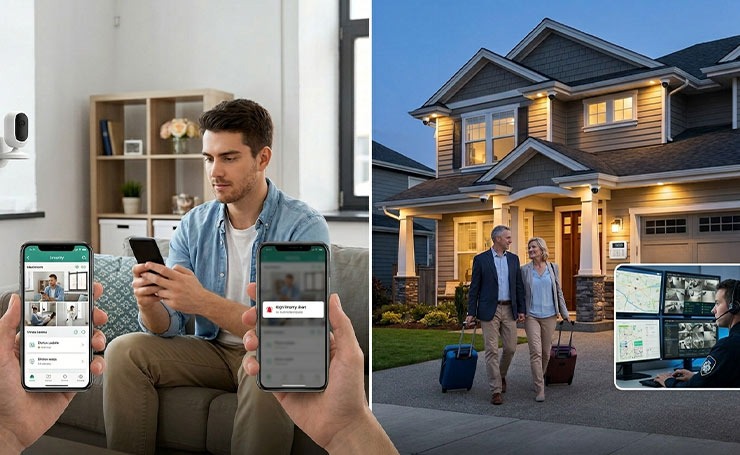
Self-monitoring, or DIY monitoring, has lower upfront costs until you opt for premium app features. You get complete control, easy installation, customizability, and long-term contracts.
However, the downside is that you need to call the police if you notice a break-in. It can bear serious consequences if you get a notification while you are sleeping or away and you miss it.
DIY monitoring is ideal for apartments, small homes, and tech-savvy individuals who do not mind checking their phones for security updates.
Professional Monitoring
Professional monitoring systems usually have higher upfront equipment fees and also ongoing maintenance fees. However, you get 24/7 expert monitoring and immediate emergency dispatch in case of break-ins or suspicious activities.
Pro monitoring is great for large homes, frequent travelers, and homeowners who want maximum security without managing alerts.
Popular Smart Security Systems Compared
Ring vs SimpliSafe vs ADT
| Feature | Ring | SimpliSafe | ADT |
| Best For | Camera-focused smart homes | Easy DIY security | Full professional security |
| Installation | DIY | DIY (very beginner-friendly) | Professional (or DIY option) |
| Monitoring | Optional (self + paid plans) | Optional (flexible plans) | Mostly required |
| Monthly Cost | Low (often cheaper plans) | Mid-range ($10–$30+) | Higher ($25–$50+) |
| Contract | No contract | No contract | Usually a 2–3 year contract |
| Smart Home Integration | Strong (Amazon Alexa ecosystem) | Basic integrations | Strong (Google Nest integration) |
| Equipment Focus | Cameras & video doorbells | Alarm system + sensors | Full security system (premium hardware) |
| Professional Monitoring Quality | Good | Good | Excellent (multiple monitoring centers) |
| Setup Time | 30–60 minutes | ~30 minutes | 1–3 hours (pro install) |
| Flexibility | High | Very high | Low–moderate |
How to Reduce False Alarms
False alarms can be really frustrating for homeowners. They typically happen due to a wrong setup, not faulty systems.
Start with proper sensor placement. Do not place motion sensors facing windows, air vents, or direct sunlight, or facing moving objects like curtains and ceiling fans. These can trigger false alerts.
Adjust motion sensitivity settings in the app. Many systems allow you to filter motion based on size or activity level. If your system supports AI-powered motion detection, enable person detection to avoid alerts from shadows, pets, and passing cars.
Make sure to shut doors and windows properly. Systems can raise false alarms due to vibrations or wind, too. Also, ensure that your system is regularly updated, as firmware updates often improve detection accuracy.
Finally, create activity zones for cameras so they monitor only important areas, such as entry points.
How to Choose the Right System
Choosing the right system is more about your lifestyle than the technology itself.
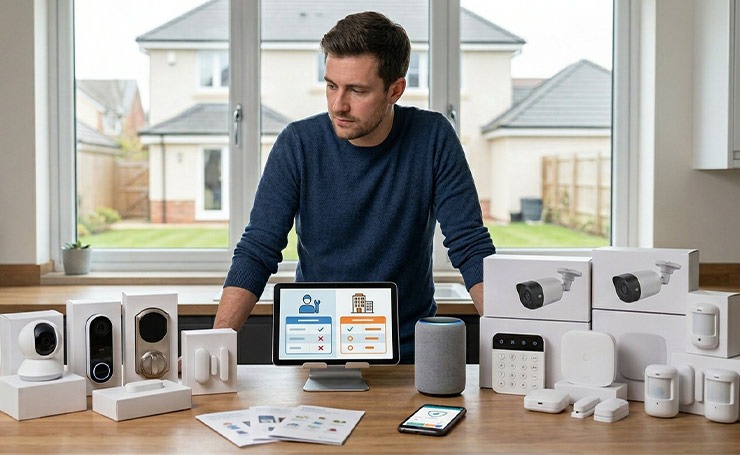
Start with your property type. Apartments usually need a basic setup that includes a camera, a smart lock, and door sensors. Houses may need full coverage, including outdoor cameras and multiple sensors.
Next, you need to decide between DIY and professional monitoring. If you like control and no recurring costs, go for DIY. If you want peace of mind and an immediate response, professional monitoring is ideal.
Consider your budget beyond the initial purchase. Some systems are affordable upfront but require monthly subscriptions for features like video storage and alerts.
Also, check compatibility. If you are already using smart devices, choose a system that integrates easily.
Finally, focus on reliability over features. A simple and stable system is far better than a complex one that you won’t use properly.
Installation Tips
- Secure all your entry points, including front and back doors, and accessible windows. These are the most common break-in points.
- Place cameras at a higher angle (around 7 to 9 feet) to prevent tampering and get a wider view. Moreover, make sure outdoor cameras are not exposed to direct sunlight and are weather-resistant.
- Test your system immediately after its installation. Trigger each sensor and check if alerts are received on your phone in real time.
- Have a stable internet connection, particularly for wireless security systems. Weak signals delay alerts or entirely disconnect the device.
- If the setup is too complex, opt for professional installation to prevent long-term issues.
Cost Breakdown
| Cost Category | What It Includes | Typical Cost Range | Notes |
| Equipment (One-time) | Cameras, sensors, base station, alarm | $100 – $500+ | Higher cost for larger homes or premium brands |
| Monitoring (Monthly) | 24/7 professional monitoring service | $10 – $50/month | Optional for most DIY systems; required for some providers |
| Storage (Monthly) | Cloud video recording & playback | $3 – $15/month | Per device or per system pricing: varies by brand |
| Local Storage (One-time) | SD cards, hubs, NVRs | $20 – $200 | No monthly fee, but limited remote access in some cases |
| Add-ons (One-time) | Extra cameras, sensors, smart locks, doorbells | $20 – $250 per device | Costs scale as you expand your system |
| Maintenance/Upgrades | Battery replacement, device upgrades | $10 – $100/year | Depends on usage and device quality |
Future Trends in Smart Home Security
The evolution of smart home security focuses on automation and intelligence. AI is becoming more advanced, making systems recognize people, faces, and even unusual behavior instead of detecting just motion.
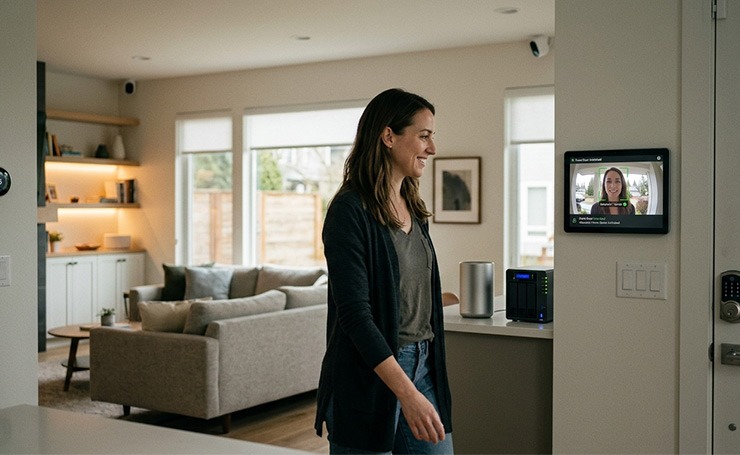
Facial recognition and behavioral analysis will become more sophisticated, providing more accurate results and reducing false alarms further.
There is also a noticeable shift toward privacy. Users are choosing local storage over cloud-based solutions.
Another key trend is full smart home integration. Security systems connect with locks, lighting, and voice assistants, creating a unified system.
Over time, smart security systems will require less manual control and become more proactive in preventing threats.
Wrapping Up
Smart home security provides homeowners with control, awareness, and convenience. Whether you go for a simple DIY setup or a professionally monitored system, the key is to match the system to your needs and use it correctly.
Start small by focusing on essentials and expand as needed. A well-planned system is more effective than a complicated one.
Learn more about smart homes by visiting AI Technology Tips.
FAQs
What is the Best Wireless Home Security System for Apartments?
For apartments, you need a light and flexible system, such as Ring or SimpliSafe. You do not need to drill or permanently install them, which makes them perfect for apartments.
Can I Use a Smart Home Security System without Wi-Fi?
Most smart systems rely on Wi-Fi for real-time alerts and remote access. However, some systems also offer cellular backup or local recording, allowing limited functionality without an internet connection.
Do Smart Locks Function During a Power Outage?
Most smart locks are battery-powered, so they continue working even during power outages. However, features like remote access may be limited if Wi-Fi is down.
How Long Do Smart Security System Batteries Last?
Battery life varies by device, but most last 6 months to 2 years. Frequent motion detection and poor connectivity can reduce battery life.

